
The shift from “ownership” to “access” has fundamentally rewired the B2B landscape. We are moving past the era of static, “all-you-can-eat” subscriptions and into the era of utility. Modern customers demand to pay for the value they actually extract—whether that is gigabytes of storage, API calls, or processed medical claims.
For Salesforce architects, this shift represents a move away from simple SKU-based selling toward complex, high-volume data orchestration. In a consumption model, Salesforce is no longer just a CRM; it is a high-frequency engine that must ingest, aggregate, and monetize usage events in near real-time.
We view consumption architecture not as a billing problem, but as a data integrity challenge. If your architecture cannot bridge the gap between a raw system event and a line item on an invoice, you aren’t just losing revenue—you’re losing customer trust.
Understanding Consumption-Based Business Models in Salesforce Context
Before touching a single custom object, you must define the “flavor” of consumption your business requires. Not all usage-based models are created equal.
| Model Type | Description | Salesforce Impact |
| Pure Usage | Customers pay $0 upfront; billed entirely in arrears based on what they use. | Requires robust credit limit monitoring and real-time “heartbeat” tracking. |
| Prepaid Drawdown | Customers buy a “bucket” of credits upfront; usage depletes the balance. | Focuses on balance management and automated “top-up” triggers. |
| Hybrid (Base + Usage) | A fixed platform fee plus overage charges for exceeding a tier. | Most common; requires complex multi-element Revenue Cloud configuration. |
The challenge with these models is revenue predictability. While subscriptions provide a smooth “SaaS staircase” of revenue, consumption models look like a mountain range. Your architecture must provide the visibility to turn that volatility into actionable data.
Core Salesforce Objects for Consumption Tracking
In a standard subscription model, the Opportunity Line Item and the Subscription object do the heavy lifting. In a consumption world, these are merely the containers. You need a data model that can handle millions of data points without hitting platform limits.
The Consumption Data Model
To architect this effectively, we focus on three primary layers:
- The Product Layer: Using Consumption Schedules and Consumption Rates. This defines how much a unit costs (e.g., $0.10 per unit for the first 1,000 units).
- The Transactional Layer: The Usage Summary object. This acts as a bucket that groups individual usage records by a specific period (usually a month).
- The Raw Data Layer: Usage Records. These are the individual “events” (e.g., “User A processed 5 files”).
Expert Note: Do not store raw, granular events directly in Salesforce if you are processing millions of events per day. Use an external “Usage Aggregator” and push summarized data to Salesforce to protect your data storage limits.
Revenue Cloud Configuration for Usage-Based Billing
Salesforce Revenue Cloud (CPQ + Billing) provides the native infrastructure to turn usage into cash. To configure this correctly, you must master the relationship between the Order Product and the Usage Summary.
Steps to Configure Consumption Schedules:
- Define the Unit of Measure (UOM): Whether it’s “Minutes,” “Seats,” or “Terabytes,” consistency is key.
- Set the Rating Method: Choose between Tiered (cumulative pricing) or Slab (different prices for different brackets).
- Link to Product: Attach the Consumption Schedule to the Product record. When a rep adds this product to a Quote, Salesforce automatically generates the necessary schedules on the resulting Order.
This configuration ensures that when the “Usage Engine” receives data, it knows exactly which price book and which discount tier to apply.
Implementing Usage Metering and Tracking
How does Salesforce know a customer used 400 units? You need a “meter.”
Architecture for usage tracking typically follows one of two paths:
- The Push Model: Your product sends a payload via the Salesforce Composite API every time a billable event occurs. This is great for low-volume, high-value events.
- The Pull Model: An intermediary (like Snowflake or an AWS Lambda function) aggregates usage and “drops” a summarized file into Salesforce via the Bulk API 2.0 once every 24 hours.
For real-time monitoring, we recommend leveraging Platform Events. This allows your system to react instantly when a customer hits 90% of their prepaid limit, triggering a task for the Account Manager or an automated email to the client.
Automation Workflows for Consumption Events
Static workflows won’t cut it here. You need dynamic logic that scales. While Salesforce has retired Process Builder in favor of Salesforce Flow, the architectural logic remains: Consumption events should trigger actions, not just records.
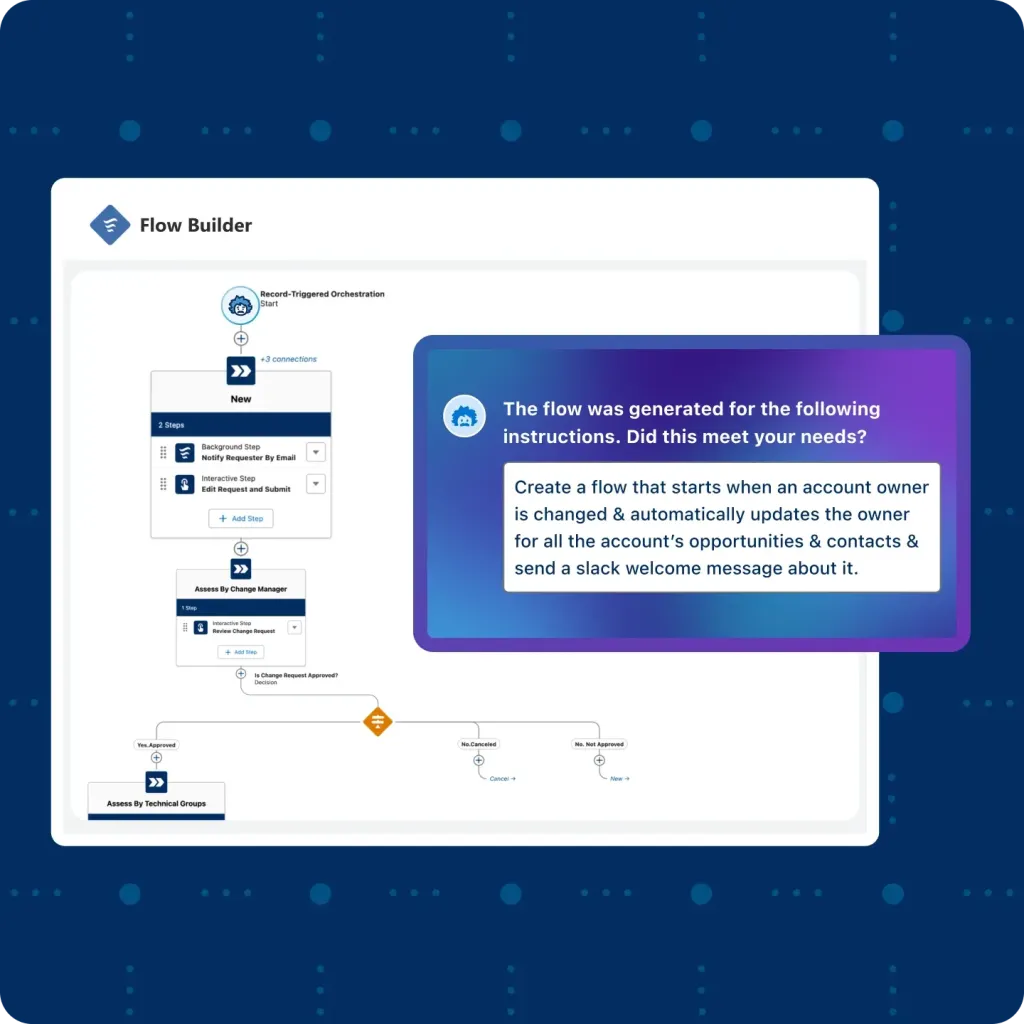
Source: Salesforce
Key Automations to Build:
- Threshold Alerts: A Flow that monitors the Usage Summary and alerts the customer when they are trending toward an overage.
- Auto-Renewal with Usage History: Using Flow to look at the last 12 months of consumption to suggest a more accurate “Base” commitment for the next contract year.
- Provisioning: Automatically increasing API limits or storage capacity in the product as soon as a “Top-Up” payment is processed.
Customer Portal and Self-Service Configuration
In a consumption model, “Bill Shock” is the enemy of retention. If a customer only sees their usage when the invoice arrives, you’ve already lost.
Using Experience Cloud, you should build a “Usage Transparency Dashboard.” By surfacing the Usage Summary object data to the end-user, they can see their consumption in real-time. This turns the billing relationship from a “gotcha” into a partnership.
Essential Dashboard Components:
- Current month-to-date spend.
- Predicted month-end total (based on current burn rate).
- Available balance (for prepaid models).
Integration Architecture for External Systems
Salesforce is your “System of Record,” but it shouldn’t be your “System of Everything.” High-scale consumption models often require a three-tier architecture:
- The App: Where the usage happens.
- The Mediator: (e.g., DigitalRoute, Metronome, or a custom AWS middleware) This system cleanses raw data, removes duplicates, and calculates “billable units.”
- The CRM (Salesforce): Receives the “clean” billable data to generate the invoice and handle revenue recognition.
This separation of concerns ensures that your Salesforce org remains performant while your “Mediator” handles the heavy lifting of data processing.
Reporting and Analytics for Consumption Data
Standard Salesforce reports are excellent for point-in-time data, but for consumption forecasting, we recommend CRM Analytics (formerly Tableau CRM).
Because consumption data is inherently time-series data, you need to track Burn Rates.
- Churn Prediction: If a customer’s usage drops by 30% month-over-month, that is a louder signal than any “Customer Satisfaction” survey.
- Expansion Opportunity: Use analytics to identify customers consistently hitting overages; these are your prime candidates for a higher-tier base subscription.
Best Practices for Scalable Architecture
Designing for consumption is a marathon, not a sprint. To avoid a “Technical Debt” nightmare, follow these hard-earned rules:
- Respect Governor Limits: Use asynchronous processing (Batch Apex or Queueable) for calculating totals across large datasets.
- Data Archiving: Consumption data grows exponentially. Establish a strategy to move Usage Records older than 18 months into Big Objects or an external data lake.
- Idempotency is Non-Negotiable: Ensure your API integrations can handle the same usage record being sent twice without double-billing the customer. Every transaction should have a unique External_ID.
Conclusion
Transitioning to a consumption-based model is like moving from a predictable garden hose to a firehose. It requires more than just a new price list; it requires a fundamental shift in how your Salesforce architecture breathes. When built correctly, it creates a flywheel of value: customers pay for what they use, and you gain unparalleled insight into how your product is actually consumed.
At Vectr Solutions, we don’t just “turn on” billing features. We architect end-to-end ecosystems that turn raw usage into sustainable growth.
Ready to architect a consumption-based Salesforce solution that scales with your business? Our experts specialize in complex configurations.
Discuss Your Architecture Needs.