
Key Takeaways
- Salesforce Revenue Cloud Advanced includes contract lifecycle management (CLM), so contracts can sit alongside your quotes, orders, and billing.
- Many companies pay for a separate contract management tool without realizing their Revenue Cloud Advanced license already covers that work.
- Signing still runs through DocuSign, so an active DocuSign eSignature account is required even when contract management moves into Salesforce.
- For aerospace, defense, and government contractors, contract security and audit history should shape the setup from the start.
When organizations research Salesforce Revenue Cloud, most of the attention goes to quoting and pricing. That makes sense, since configure, price, quote (CPQ) is where sales teams tend to feel the most pain.
Configure, price, quote
Hover over a step, or tap it, to see how Salesforce CPQ moves a deal from product selection to a signed quote.
The contract is where many deals actually slow down. Drafts move between sales and legal over email, and redlines sit in someone’s downloads folder. Once a contract is signed, it gets filed in a shared drive where the renewal date is easy to forget.
To solve this, many organizations purchase a standalone contract management platform and connect it to Salesforce. What they often do not realize is that the Revenue Cloud Advanced edition already includes contract lifecycle management. Salesforce now markets Revenue Cloud as Agentforce Revenue Management, and the contract features carry over under the new name.
We are seeing this come up often with the aerospace and defense organizations and government suppliers and contractors we work with. Their contracts take many forms, from fixed-price and cost-plus agreements to IDIQ (indefinite delivery, indefinite quantity) vehicles, and they carry security requirements a typical commercial contract does not. Below, we walk through what Revenue Cloud CLM includes, when it can replace a separate tool, and what regulated organizations should plan for before turning it on.
What Contract Lifecycle Management Means
Contract lifecycle management, or CLM, is the process of managing a contract from its first draft through signature, delivery, and renewal. A CLM system gives that process a single home, so every version, approval, and signature is tied to one record.
Source: https://www.salesforce.com/sales/revenue-lifecycle-management/contract-management-software/
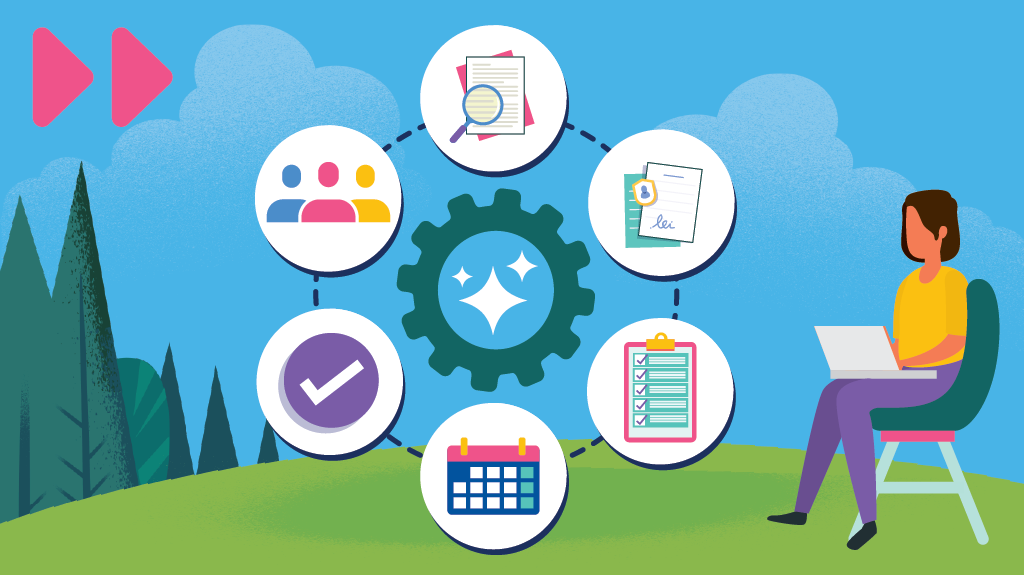
Most contracts move through the same general stages. A draft is created from a template. Both sides negotiate terms by proposing edits, known as redlines. The contract then goes through internal approvals and gets signed. After that, someone has to track whether each side delivers on its commitments and decide what happens when the term ends.
Without a CLM system, each of those stages tends to happen in a different place. That leads to version confusion, missed renewal dates, and contract terms that no longer match what sales originally quoted.
What CLM in Revenue Cloud Includes
Revenue Cloud’s contract features, which Salesforce calls Salesforce Contracts, run on the same platform as your quotes and orders. That shared foundation is the main reason to consider them. They are included with the Revenue Cloud Advanced license but not with Revenue Cloud Growth, the entry-level edition, so confirm which edition your organization owns. Here is how each stage works.
Templates and the Clause Library
Legal teams build contract templates and maintain a clause library inside Salesforce. A clause library is a collection of pre-approved contract language, such as payment terms, limitation of liability, or export control language, that can be reused across agreements.
Sales reps generate contracts from those templates instead of copying last year’s agreement and editing it by hand. Customer, product, and pricing details pull directly from the Salesforce record, so the contract reflects the quote it came from. Reps can also search the clause library and add an approved clause to a quote as a special term before the contract is drafted.
Redlining and Version Control
Negotiation is often where contracts stall. Revenue Cloud tracks changes between contract versions, showing what changed, who changed it, and when. A Microsoft 365 add-in allows legal teams to keep working in Word while syncing their edits back to the Salesforce record. Earlier versions can be locked so everyone works from the current draft.
Approvals and E-Signature
Approval workflows send a contract to the right reviewers based on rules your organization sets. A nonstandard payment term might go to finance, while a change to liability language goes to legal. Each approval is recorded in Salesforce, so there is a clear history of who signed off and when.
Once approved, the contract can be sent for signature from the same record. Salesforce Contracts uses DocuSign for e-signature, so your organization needs an active DocuSign account. DocuSign handles the signing itself, and Salesforce tracks the status of each document sent for signature.
Pricing Agreements, Renewals, and Obligations
This is where having contracts inside Revenue Cloud makes the biggest difference. Negotiated prices and discounts can be saved on the contract and applied automatically to future quotes for that customer. The products and services a customer has purchased, which Salesforce calls assets, are grouped under the contract, so reps can amend, renew, or cancel them from one place.
Obligation management tracks what each party committed to deliver after signing. For contracts with delivery milestones or service levels, that gives program and account teams one place to see what is due.
AI Assistance
Salesforce has added AI features, called Contracts AI, that suggest clause language and speed up redlining. Contracts AI requires its own license on top of the core Salesforce Contracts license. These features can shorten review cycles. In regulated industries, they work best as a first pass that your legal team reviews before anything goes out.
Revenue Cloud CLM vs. a Separate Contract Tool
Plenty of organizations use a standalone CLM product, such as DocuSign CLM, connected to Salesforce. In some cases, that is still the right choice. In others, the tool was purchased before Revenue Cloud offered these features, and nobody has revisited the decision.
It helps to separate two things that often get grouped together. E-signature is the act of collecting legally binding signatures on a document. Contract management covers everything around that moment, including drafting, negotiation, approvals, and renewals. Revenue Cloud Advanced handles contract management and relies on DocuSign for the signing step. An organization could retire a separate CLM platform such as DocuSign CLM while keeping a DocuSign eSignature account for signatures.

Revenue Cloud CLM tends to fit best when most of your contracts start from deals already in Salesforce. Keeping them in one system removes the connection between your CRM and a second contract platform. That means fewer data sync issues and one set of security controls to manage, along with one less platform for your compliance team to review.
A separate tool may still make sense if your legal team manages a high volume of agreements that never touch sales, such as procurement or employment contracts. Organizations that depend on specialized features in their current platform should compare those features carefully before switching.
Before renewing a standalone CLM license, map which of your contracts begin with a Salesforce opportunity and which do not. That exercise usually makes the decision clear.
Contract Management for Aerospace, Defense, and Government Contractors
For aerospace and defense manufacturers and government contractors, a contract can include controlled technical data, pricing tied to a government contract vehicle, and flow-down clauses.

A flow-down clause is a requirement in a prime contract, such as a cybersecurity or export control obligation, that must be passed along to subcontractors and suppliers. Where these documents are stored and who can open them becomes a compliance question.
For many of our clients, Salesforce security compliance for government contractors starts with exactly these details. Keeping contracts in Salesforce means they follow the same access rules as the rest of your customer data. A program manager may need to see delivery milestones without seeing the pricing exhibit, and Salesforce’s record-level and field-level permissions make that possible.
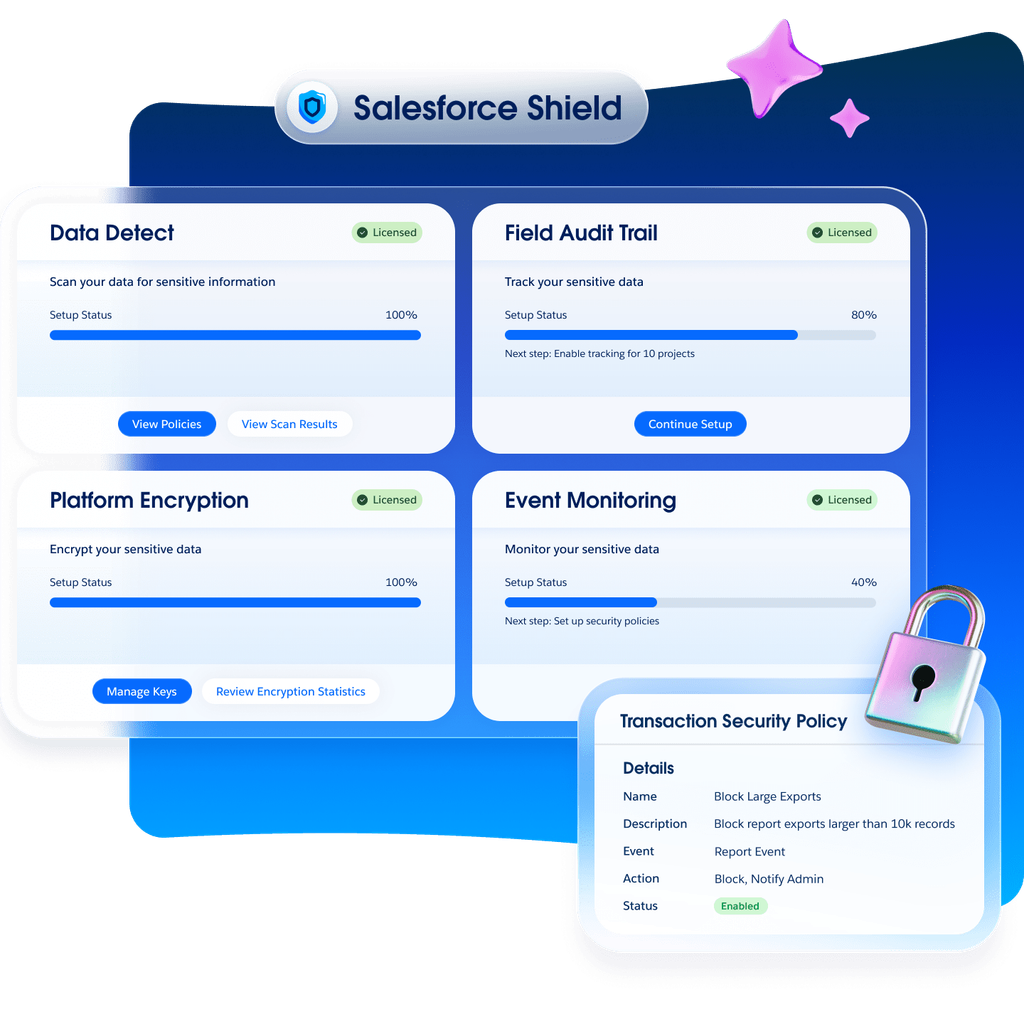
With Salesforce Shield and Event Monitoring, sensitive contract details can also be encrypted and every access logged. Those controls help meet CMMC compliance requirements for Salesforce CRM. CMMC, the Cybersecurity Maturity Model Certification, is the Department of Defense standard for protecting sensitive information held by contractors and their suppliers.
Source: https://www.salesforce.com/platform/shield/
The clause library supports compliance as well. When required language like export control or flow-down clauses is pre-approved and locked, reps cannot drop it or substitute an outdated version. Every edit, approval, and signature is recorded, giving you an audit trail if a contract is ever questioned.
Your Salesforce environment matters too. Many defense contractors run Salesforce in Government Cloud Plus, a separate instance built for government security requirements. In Salesforce’s current Government Cloud availability list, Revenue Cloud is tested and works in Government Cloud Plus but falls outside that environment’s FedRAMP authorization, the federal government’s security approval for cloud services.
Your security team will need to review and accept that risk, so it is a question to answer before configuration starts. Revenue Cloud is not offered in Government Cloud Plus – Defense, the environment built for Department of Defense Impact Level 5 data, so organizations running there should confirm their options before planning a rollout.
What It Takes to Set Up CLM in Revenue Cloud
Revenue Cloud includes the CLM features, and they still need to be configured around how your organization contracts. The best place to begin is your existing agreements. Which templates are in use today? Which clauses are standard, and which get negotiated on every deal? Who needs to approve which changes? For A&D and GovCon teams, contract type belongs on that list. Fixed-price, cost-plus, and IDIQ agreements usually need their own templates, clauses, and approval paths, and an IDIQ vehicle is often set up as a master contract with each task order tracked under it.
Legal, sales, and finance often answer those questions differently, and those differences should be settled before anything is built. Once the process is agreed on, the clause library and templates are built, approval rules are configured, and the DocuSign connection for signatures is set up.
Many A&D organizations also need contract data to reach an ERP (enterprise resource planning) system such as Deltek, SAP, or Oracle. Following Salesforce integration architecture best practices keeps that data accurate in both systems. If you are moving off a separate CLM tool, active contracts and their history also need to be migrated with the right permissions kept on sensitive documents.
Adoption is the final piece. Reps and legal teams need confidence that templates are current and clauses are correct, or they will return to email and Word attachments. A structured approach like Prosci change management and ADKAR framework for a Salesforce rollout helps each group understand what is changing for them and why.
-
Awarenessmeans people understand what’s changing and why before it shows up in their workday.
-
Desiremeans they actually want to work with the change, not just tolerate it.
-
Knowledgemeans they understand how the new process works.
-
Abilitymeans they’ve had a real chance to practice it.
-
Reinforcementmeans the change sticks after the initial excitement fades.
Final Thoughts
Contract lifecycle management is one of the most overlooked parts of Salesforce Revenue Cloud. For organizations already investing in Revenue Cloud, it can replace a separate contract management tool and keep contract terms connected to the deals they came from.
The value depends on how it is set up. At Vectr Solutions, we build Salesforce solutions for aerospace and defense contractors and other organizations where contracts carry compliance risk, including fixed-price, cost-plus, and IDIQ contract structures.
We have built an ITAR-compliant Salesforce Government Cloud environment for an aerospace and space propulsion manufacturer and moved a federal software provider’s sales and marketing into a FedRAMP High Salesforce environment. We also use AI agents to pull flow-down clauses out of contract documents and flag required attestations for review, so compliance requirements are caught early in the process.
Ready to See What Revenue Cloud CLM Can Do for Your Contracts?
Whether you are researching Revenue Cloud for the first time or wondering if you are paying for a contract management tool you no longer need, speak to an expert at Vectr Solutions.