

Most comparisons of Slack and Teams ask the wrong question. They ask which app has better threads, better video calls, better emoji reactions. None of that is the decision that actually matters.
The real question: which platform becomes the single interface for everything your org already runs? Salesforce, Tableau, Jira, whatever’s in your stack. Not a new tool bolted on top of your systems. The front door to all of them.
We call this a command center. Sometimes we call it a headless CRM: a UI layer sitting in front of everything else, so nobody logs into multiple systems to get one thing done. If that concept sounds familiar, it’s because it’s the same shift we’ve been tracking across Salesforce’s SLED roadmap: the interface stops being the point, and the work becomes the point.
What “Command Center” Actually Means
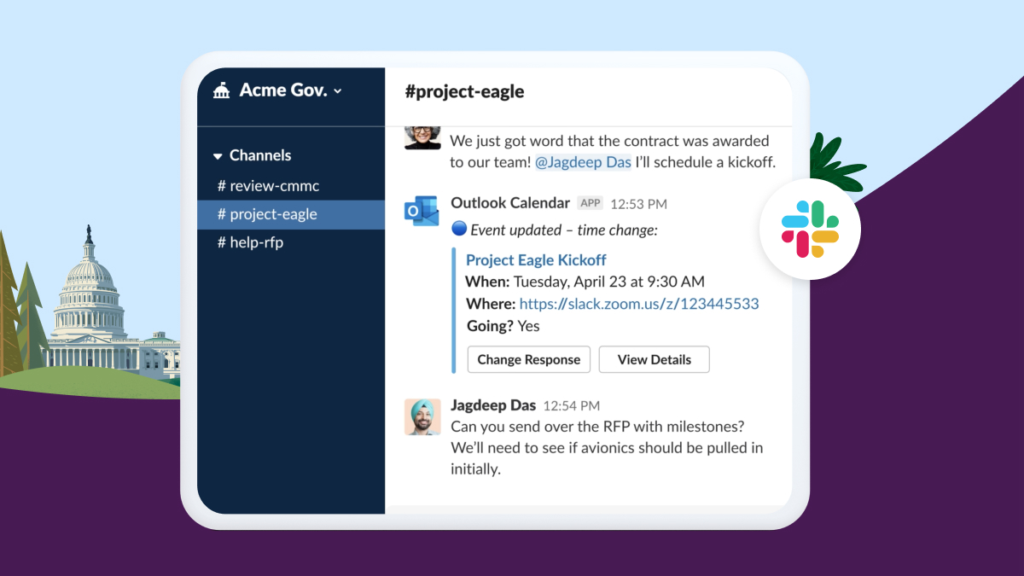
Connecting Slack to your org isn’t a drawn-out IT lift. It links to whatever you’re already running. Once it’s in place, you stop opening five tabs to check on an account or a case. You ask Slack, and Slack pulls the answer from the actual system of record.
Here’s the part people miss: it’s not just notifications. It’s not “something happened, go check it yourself.” It’s full actions happening inside the conversation. Creating a record, updating it, closing it out, without ever leaving the chat.
For public sector and GovCon teams, that matters more than it sounds. Every extra login, every extra system you have to context-switch into, is friction. That’s where GovSlack comes in, because none of this comes at the cost of security. It’s still FedRAMP High Authorized, still supports DoD IL4/IL5, with ITAR, CUI, and CMMC built in. If the work can happen in one place your team already lives in, that’s not just convenient. It’s a security story and an efficiency story at the same time.
Source: https://www.salesforce.com/news/stories/fedramp-certified-platforms/
We’ve written more on what that compliance posture actually covers in GovSlack vs. Commercial Slack.
And it’s one SKU, transparent pricing. None of this command-center behavior is a premium add-on tier. It’s just what you get.
Where This Plays Out
Take Salesforce GPS for bid management. Instead of someone living inside Salesforce to track every stage of a bid, the whole process surfaces and gets managed through Slack. Notifications, reminders, and automations now do the manual work the bid team used to carry. This team manages a huge volume of records, so any speed-up to process is welcome.
Before, bid managers and AEs bounced back and forth between Salesforce and Slack just to communicate and make updates. Now they update a Salesforce record, spin up a Slack channel, and send a message, all without leaving Slack.
That’s the headless CRM idea in one example. The logic and the data still live in Salesforce. Nobody’s ripping that out. But nobody has to open Salesforce to interact with it either. Slack is just the interface. And it changes what the team spends its time on: team members were previously kicking off processes manually, which left room for human error. Automating that frees the bid team to spend time qualifying the data in front of them instead of administrative tasks like standing up a Slack channel for every opportunity.
Vectr Runs on the Same Pattern Internally
We don’t just build this for clients. Our PTO Request Tool has been running for a while: employees request time off through a Slack workflow, leadership gets notified automatically, and approval happens directly in Slack. Once approved, the employee’s Google Calendar and Runn (our time-tracking system) both update. What used to require touching three systems is now one request in Slack.
We’re also building support for our business development channel to handle Account and Opportunity creation and tracking, and a Salesforce certification tracking tool so leadership can manage and track what certifications employees are scheduling and completing. As a Salesforce partner, that’s not a nice-to-have. It’s how we stay on top of compliance.
None of this is a sales pitch. It’s how we actually run things day to day. If it wasn’t useful, we wouldn’t have built our own workflow around it.
Source: https://slack.com/intl/en-au/marketplace/collection/workflows
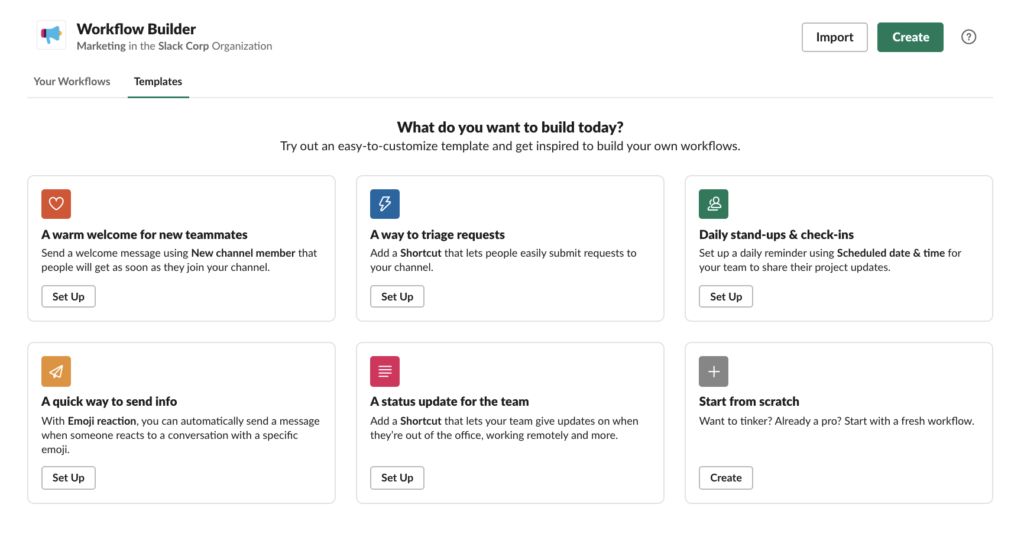
And it’s not a one-off clever integration, either. Tableau reports pull with a chat command. Salesforce cases get resolved in real time from inside the conversation. Jira tickets get created, updated, and closed without switching tools. No-code workflows get built without a developer sitting down to write something custom. It’s a consistent pattern across basically whatever app your org already runs, the same “intelligent swarming” model we saw play out in how SLED agencies use Slack and Salesforce to coordinate cases.
What about Teams and Rocket.Chat?
To be fair, Teams can technically get there too. But there’s a real gap between what’s possible on paper and what it actually takes to stand it up. With Slack, this level of integration is included. With Teams, getting to the same experience usually means additional licensing tiers, extra add-ons, and more setup work from your IT team before you’re actually using it this way. Same capability on the feature list, different story once you try to build it.
Beyond the integration gap, this lines up with what we consistently hear from teams using Teams day to day: performance slowing down as a team grows, notifications getting missed or buried, channels getting cluttered and hard to navigate over time. Not piling on. Just consistently the feedback we hear.
Self-hosting something like Rocket.Chat is a real option, but it comes with tradeoffs people don’t always think through upfront. You’re running it on your own servers, so that’s a cost from day one, plus your team owns the patching and maintenance indefinitely. Since you’re hosting sensitive data yourself instead of a vendor, a lot of organizations end up needing additional insurance or liability coverage, because if something goes wrong, that responsibility sits with you. What’s out-of-the-box in GovSlack becomes a custom development project on Rocket.Chat.
Across both, it’s less about what’s technically possible and more about what it costs you to get there: in time, money, and risk.
One Thing to Remember
This was never really about which chat app has better threads or nicer video calls. It’s about which platform becomes the one interface for everything your org already runs.
Slack isn’t replacing your systems. It’s becoming the front door to all of them.
Want to see what that looks like plugged into your own stack? We’d be glad to walk you through it.